I saw a guy walking down the street having an animated chat on his cell phone.
It wasn’t going well.
“Oh yeah?” he snarled into the phone. “You think so?”
Apparently, the other person thought so.
“Well guess what?” he yelled. “It’s over! Done! Have a nice life!”
Then he yanked the phone away from his ear and proceeded to spend 20 seconds fumbling for the button to end the call.
A little anticlimactic.
Technology has given us some wonderful advances, but one thing it’s stolen is our ability to throw a satisfying hissy fit by slamming the phone down on the receiver. Even if you haven’t ditched your landline for a cell, odds are good you’re using a cordless phone.
Pressing “off” in the heat of the moment lacks a certain oomph.
I’m fascinated by books written just 10 years ago when it wasn’t assumed that everyone had cell phones sewn to their palms and internet access 24/7. Characters could be stuck alone in a perilous situation without the ability to call for the police and a takeout order of egg rolls to enjoy while awaiting help.
Back then, a romance novel heroine couldn’t just google-stalk the guy she’s dating to discover he’s secretly a famous athlete with a fondness for wearing women’s underpants.
One of my favorite series of books is Sue Grafton’s alphabet mysteries – A is for Alibi, B is for…well, whatever the hell B stood for. The books star a private detective named Kinsey Milhone, and the first was published in 1982.
Grafton has kept a slow but steady pace with them, releasing U is for Undertow in 2009 while making a deliberate choice not to age the character or her surroundings beyond those first few books. Kinsey still sends faxes and writes her reports on a typewriter. She uses microfiche instead of google, and would be truly mystified by skyping, sexting, and tweeting.
OK, so a lot of us are mystified by those things.
I’ve heard of authors re-releasing older books and making small tweaks to account for technological advances. An author who spoke at an RWA conference I attended joked, “My heroines have a knack for getting into trouble in areas with spotty cell coverage.”
Do you get hung up on jarring technology details in books you’re reading? What role does technology play in your writing? Please share.
I’ll be guarding my eBay bid on an old rotary phone. The next time I need to hang up on someone, I’ll be ready.
Showing posts with label technology. Show all posts
Showing posts with label technology. Show all posts
Thursday, January 6, 2011


Thursday, September 16, 2010
Dead computers make good doorstops
It was bound to happen soon, but I still felt a surge of sadness two weeks ago when my old Mac sputtered, wheezed, dropped to the floor, and refused to get up.
True, the Mac was ancient. That didn't stop me from consulting two different computer gurus to confirm what was already painfully obvious – the Mac had gone to the big computer orgy in the sky.
That was a big enough blow, but when I learned Sunday that no files could be retrieved from the hard drive, I contemplated mouth-to-Mac resuscitation.
Fortunately, I've worked with computers long enough to have a few backup systems in place. I lost some files, but it could have been much worse.
Here are a few things I did right, and a few I'll do better next time.
How I got lucky:
 So there you have it – some lessons learned from the great Mac crash of 2010. What are your tricks for backing up your work? Have you ever been burned by a bad meltdown? Do you have any savvy tips for keeping your files safe? Please share in the comments.
I'll be making sure my new Macintosh doorstop is positioned correctly.
True, the Mac was ancient. That didn't stop me from consulting two different computer gurus to confirm what was already painfully obvious – the Mac had gone to the big computer orgy in the sky.
That was a big enough blow, but when I learned Sunday that no files could be retrieved from the hard drive, I contemplated mouth-to-Mac resuscitation.
Fortunately, I've worked with computers long enough to have a few backup systems in place. I lost some files, but it could have been much worse.
Here are a few things I did right, and a few I'll do better next time.
How I got lucky:
- The plus side of never deleting emails. The Mac sat upstairs in my bedroom, while an older PC lived in my office downstairs. There was no rhyme or reason to which I'd choose to use each day, which meant I emailed files back and forth to myself constantly. The fact that I seldom delete emails annoys the crap out of me when I'm forced to wade through 100 messages from my aunt insisting Bill Gates wants to give me $100 for forwarding a chain letter, but it worked in my favor this time. Between my in-box and my sent folder, I was able to retrieve a lot of files.
- CDs and thumb drives are my friends. In addition to my somewhat accidental email backup system, I had a less accidental (but still haphazard) habit of dumping important files onto CDs and thumb drives. When I rifled through them on Monday, I was pleased to discover most of what I hoped to save was spread somewhere between four thumb drives and three-dozen cryptically labeled CDs (several of which had been used as coasters).
- Dates in the file names. I'm fairly neurotic when it comes to saving manuscripts. Each time I open one, I re-save a new version with the current date in the title. I learned this trick the hard way six years ago when I used to save the files with merely a title and a version number. I wasn't always consistent with the numbers, but since I went by the file date anyway, assumed it didn't matter. Then my computer crashed, and all my retrieved files were cryptically branded with a date of August 1969. Adding the date to the file name has saved my butt more than a few times since then.
- Scheduled backups. Though I got lucky with my haphazard backup system, a girl can't count on getting lucky all the time. That's a shame. In the future, I'll pick a designated day to back up whatever I've worked on that week, perhaps on an external hard drive this time.
- Smarter labeling. Though I was wise enough to dump bigger files on CDs and thumb drives, I wasn't wise enough to have a good system for knowing what's on them. The few CDs that bear labels have helpful titles like "pics" and "files," which doesn't do much to distinguish vacation photos of monkey sex from my professional author photos. In the future, I'll have more savvy system for labeling my external backups.
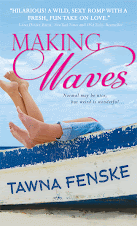
- Consistent file names. Though I was able to search my email for the names of my manuscripts, there was the small issue of name changes in those documents. My manuscripts all have working titles like PIRATEBITCH, PSYCHICBITCH, and WINEBITCH. There's an inevitable shift that happens when I start sending the files to my agent or editor and I'm forced to call them by their real titles (MAKING WAVES, BELIEVE IT OR NOT, and LET IT BREATHE, respectively). In the future, I should probably start adopting the real titles earlier in the game. Either that, or convince my editor that the bitch series has real marketing potential.
 So there you have it – some lessons learned from the great Mac crash of 2010. What are your tricks for backing up your work? Have you ever been burned by a bad meltdown? Do you have any savvy tips for keeping your files safe? Please share in the comments.
I'll be making sure my new Macintosh doorstop is positioned correctly.
Monday, July 12, 2010
Some lesser-known iPhone features
I spent a couple days camping last Thursday and Friday. Though I suspected our remote locale would render my iPhone useless, I was pleased to find that wasn’t the case.
On the contrary, I discovered a host of special features Apple never mentioned in my user manual.
Whether you’ve got an iPhone of your own, or simply want to test the capabilities your existing cell phone, here are a few special features worth sharing:
Oh, I did take advantage of one of the phone’s intended uses. Check out the sunset over Diamond Lake:

On the contrary, I discovered a host of special features Apple never mentioned in my user manual.
Whether you’ve got an iPhone of your own, or simply want to test the capabilities your existing cell phone, here are a few special features worth sharing:
- Crush mosquitoes against the wall of the tent. The little bastards love the way the screen lights up, much to their detriment.
- Instantly tweet photos of important moments. For me, this was a picture of Pythagoras reeling in a fish, though sadly, he got away. The fish, not my husband. Pythagoras only made it to the parking lot before I hit him in the head with the phone and dragged him unconscious back to the campsite.
- Jot notes to yourself from the middle of a lake. I neglected to bring a pen or notepad on our camping adventure (some writer I am). Fortunately, I was able to make a quick note on my iPhone when an important idea struck. OK, so it wasn’t a plot point, it was the name of the aromatherapy oil my yoga instructor shared last week. I’d forgotten, and it was nice to have a place to jot the word “neroli”when it suddenly appeared in my brain.
- Utilize iPhone as emergency light source at 2 a.m. when dog barfs in tent. Gripping the phone between my teeth and a baggie in one hand, I was able to clean up the result of a motion-sick dog having spent the day on a boat. I blame neither the iPhone nor the dog for the fact that the baggie turned out to have a hole.
Oh, I did take advantage of one of the phone’s intended uses. Check out the sunset over Diamond Lake:

Tuesday, June 22, 2010
How not to be an email goober
I’ve been known to do stupid things with email.
Shocking, isn’t it?
My offenses have ranged from typos to a smart-ass rant about the boss sent to a coworker (and subsequently viewed by the boss, who happened to be standing behind my coworker when she opened it).
My most recent faux pas occurred last week, and fortunately, wasn’t too embarrassing. Well, not unless you consider it embarrassing to extend a dinner invitation to a gentleman you’ve never met living 2,500 miles away with a salutation that begins, “Hey, bitches – you owe me wine.”
That one was more amusing than mortifying, but when you’re querying agents or crafting other professional correspondence, it’s important to avoid looking like a dork.
Here are a couple tips I can share:
Don’t fill in the “to” field until you’re certain it’s perfect. I do this with important messages to avoid the embarrassment of accidentally hitting “send” before spellchecking, proofreading, or removing the note-to-self that reads add something smart here.
Ditch the emoticons and exclamations. Lord knows I love a good smiley from time to time, but when your email message looks like a minefield of exploding happy faces, you’ve gone too far. Ditto that for exclamation points or goofy abbreviations like LOL or BTW or WTSAGP (duh, that’s Want to Split a Grape Popsicle?)
Watch the formatting. Back when I was querying agents, it seemed like a good time-saver to copy/paste a query I’d sent to one agent and use that as a starting block to personalize a query for another. Um, no. I couldn’t see it on my end, but that’s a good way to introduce all sorts of weird formatting. I discovered this when I looked in my “sent” folder and realized it looked as though I’d tried to demonstrate my creativity by inserting random paragraph returns in the middle of words.
Sleep on it. I know what it’s like to reach a point that you just want to SEND THE @#$% MESSAGE ALREADY. But when you’ve been staring at the words all day, you’re less apt to notice that you’ve misspelled an agent’s name or extolled the virtues of your extensive background in “pubic relations.” Come back later when you have fresh eyes.
Obviously this isn’t a comprehensive list, but these are a few ways I’ve found to minimize the number of times I look like a goober in a given week.
How about you? Got any embarrassing email mistakes you can share, or tips to help the rest of us avoid those mistakes? Please post in the comments!
I need all the help I can get.
Shocking, isn’t it?
My offenses have ranged from typos to a smart-ass rant about the boss sent to a coworker (and subsequently viewed by the boss, who happened to be standing behind my coworker when she opened it).
My most recent faux pas occurred last week, and fortunately, wasn’t too embarrassing. Well, not unless you consider it embarrassing to extend a dinner invitation to a gentleman you’ve never met living 2,500 miles away with a salutation that begins, “Hey, bitches – you owe me wine.”
That one was more amusing than mortifying, but when you’re querying agents or crafting other professional correspondence, it’s important to avoid looking like a dork.
Here are a couple tips I can share:
Don’t fill in the “to” field until you’re certain it’s perfect. I do this with important messages to avoid the embarrassment of accidentally hitting “send” before spellchecking, proofreading, or removing the note-to-self that reads add something smart here.
Ditch the emoticons and exclamations. Lord knows I love a good smiley from time to time, but when your email message looks like a minefield of exploding happy faces, you’ve gone too far. Ditto that for exclamation points or goofy abbreviations like LOL or BTW or WTSAGP (duh, that’s Want to Split a Grape Popsicle?)
Watch the formatting. Back when I was querying agents, it seemed like a good time-saver to copy/paste a query I’d sent to one agent and use that as a starting block to personalize a query for another. Um, no. I couldn’t see it on my end, but that’s a good way to introduce all sorts of weird formatting. I discovered this when I looked in my “sent” folder and realized it looked as though I’d tried to demonstrate my creativity by inserting random paragraph returns in the middle of words.
Sleep on it. I know what it’s like to reach a point that you just want to SEND THE @#$% MESSAGE ALREADY. But when you’ve been staring at the words all day, you’re less apt to notice that you’ve misspelled an agent’s name or extolled the virtues of your extensive background in “pubic relations.” Come back later when you have fresh eyes.
Obviously this isn’t a comprehensive list, but these are a few ways I’ve found to minimize the number of times I look like a goober in a given week.
How about you? Got any embarrassing email mistakes you can share, or tips to help the rest of us avoid those mistakes? Please post in the comments!
I need all the help I can get.
Tuesday, June 1, 2010
It's fun playing doctor, but I must cut the cord
So I think we’re going to do it.
No, not do it – get your minds out of the gutter. I think we’re finally going to cut the cord and get rid of our telephone landline.
We’ve contemplated it for years, but finally sat down the other day and determined how often we use the landline. On average, about 50% of the calls we get are not for us.
Pythagoras and I do not share a last name, as I kindly allowed him to keep his when we wed. He does, however, share a last name with a local physician. That means we’ve spent the last 12 years serving as the good doctor’s second line.
The first time it happened, I was confused.
“Yes, I’d like to schedule an appointment,” a caller informed me one afternoon.
“To do what?”
She snorted with annoyance. “For an exam, of course.”
I surveyed the assembly of pets in my living room, trying to remember who was due for shots and when our vet started making reminder calls. “I guess we could do it later today. Is this for rabies?”
“What? Why? Is there a local outbreak?”
Eventually, we got it straightened out, but the calls didn’t stop there. At least once a week, my eardrums are subjected to the screech of someone’s fax machine. Occasionally, this is followed up by the screech of a pharmacy employee calling to demand we turn on our fax machine.
“I think you have the wrong number,” I told the last caller.
“Well give me the right one, dammit!”
I hesitated for a moment, then rattled off the number I saw on my phone’s caller ID.
“Wait – that’s our number,” she snapped.
“It is,” I agreed. “Enjoy having the fax machine redial you every 30 seconds.”
Pythagoras is kinder about it than I am, often listening sympathetically to a caller’s symptoms while he looks up the correct number.
“That sounds really painful,” I overheard him saying as he thumbed through the Yellow Pages. “So wearing the helmet to bed hasn’t helped?”
As much as we’ve enjoyed receiving these calls for the last 12 years, it’s time to move on. We’ve got our cell phones, and it’s unlikely the world will end if we cease accepting calls for the good doctor.
How about you? Do you still have a landline? Can you think of any compelling reason we should continue to pay $40 a month to have ours? Tell me in the comments trail, I’m all ears.
Well, as soon as they stop ringing from that last fax call.
No, not do it – get your minds out of the gutter. I think we’re finally going to cut the cord and get rid of our telephone landline.
We’ve contemplated it for years, but finally sat down the other day and determined how often we use the landline. On average, about 50% of the calls we get are not for us.
Pythagoras and I do not share a last name, as I kindly allowed him to keep his when we wed. He does, however, share a last name with a local physician. That means we’ve spent the last 12 years serving as the good doctor’s second line.
The first time it happened, I was confused.
“Yes, I’d like to schedule an appointment,” a caller informed me one afternoon.
“To do what?”
She snorted with annoyance. “For an exam, of course.”
I surveyed the assembly of pets in my living room, trying to remember who was due for shots and when our vet started making reminder calls. “I guess we could do it later today. Is this for rabies?”
“What? Why? Is there a local outbreak?”
Eventually, we got it straightened out, but the calls didn’t stop there. At least once a week, my eardrums are subjected to the screech of someone’s fax machine. Occasionally, this is followed up by the screech of a pharmacy employee calling to demand we turn on our fax machine.
“I think you have the wrong number,” I told the last caller.
“Well give me the right one, dammit!”
I hesitated for a moment, then rattled off the number I saw on my phone’s caller ID.
“Wait – that’s our number,” she snapped.
“It is,” I agreed. “Enjoy having the fax machine redial you every 30 seconds.”
Pythagoras is kinder about it than I am, often listening sympathetically to a caller’s symptoms while he looks up the correct number.
“That sounds really painful,” I overheard him saying as he thumbed through the Yellow Pages. “So wearing the helmet to bed hasn’t helped?”
As much as we’ve enjoyed receiving these calls for the last 12 years, it’s time to move on. We’ve got our cell phones, and it’s unlikely the world will end if we cease accepting calls for the good doctor.
How about you? Do you still have a landline? Can you think of any compelling reason we should continue to pay $40 a month to have ours? Tell me in the comments trail, I’m all ears.
Well, as soon as they stop ringing from that last fax call.
Wednesday, May 26, 2010
In which I maturely do not say "hump" despite mentioning camels
Yesterday, the FedEx man brought my new iPhone.
I’ve never owned such a miraculous device before, and I sat for an hour gazing at it in wonder.
I showed it to Pythagoras when he got home. “See how shiny?”
“It is,” he agreed. “Do you plan to turn it on?”
“Maybe,” I said. “Does that require candlelight and soft music, or will I need to rub it?”
I’m only half kidding, because the fact is, I hate reading directions. Maps, too, are a mystery to me.
This is a key area where I differ from my husband, who would cheerfully consult a map to navigate his way from our kitchen to the bathroom.
When we were in Morocco a few years ago, our guidebook suggested that Marrakesh’s souks – the large, open-air markets – were a great place to get lost.
To me, this sounded like an adventure.
To my husband, it sounded like a good reason to buy three maps and stay up half the night plotting our course.
As is usually the case in a solid marriage like ours, we spent the next few daysbitching at each other compromising our varied approaches. I got to meander aimlessly, stumbling down hidden corridors discovering new sights and sounds and smells.
Pythagoras got to ensure we found our way back to our hotel instead of accepting the rug vendor’s invitation to share a bed with him and his four wives.
I keep thinking of this as I stumble my way through LET IT BREATHE, the third book in my contract with Sourcebooks. Every time I open the document on my computer, it’s like meandering down those spice-scented corridors in Marrakesh.
I start typing, and suddenly – hey look, there’s a camel!
(OK, technically, it’s an alpaca in my story, but it did appear rather unexpectedly in the manuscript one morning).
I know this approach would drive plenty of authors batty. Well-organized plotters like my critique partner, Cynthia Reese, would not take kindly to livestock of any sort showing up in their stories without an invitation.
And you know what? That’s OK. I don’t begrudge my husband’s need for a map or other authors' desire for a little more structure to their writing. We all have different ways of getting where we’re going. My method works great for me, just like a structured approach might work great for you.
And speaking of working, we did get my iPhone to function. We achieved it through calculated teamwork approach that involved me punching a lot of random buttons and Pythagoras frowning at the device and asking, “what the hell did you do to it?”
See? Compromise. It’s a beautiful thing.
I’ve never owned such a miraculous device before, and I sat for an hour gazing at it in wonder.
I showed it to Pythagoras when he got home. “See how shiny?”
“It is,” he agreed. “Do you plan to turn it on?”
“Maybe,” I said. “Does that require candlelight and soft music, or will I need to rub it?”
I’m only half kidding, because the fact is, I hate reading directions. Maps, too, are a mystery to me.
This is a key area where I differ from my husband, who would cheerfully consult a map to navigate his way from our kitchen to the bathroom.
When we were in Morocco a few years ago, our guidebook suggested that Marrakesh’s souks – the large, open-air markets – were a great place to get lost.
 |
| A souk in Marrakesh |
To me, this sounded like an adventure.
To my husband, it sounded like a good reason to buy three maps and stay up half the night plotting our course.
As is usually the case in a solid marriage like ours, we spent the next few days
Pythagoras got to ensure we found our way back to our hotel instead of accepting the rug vendor’s invitation to share a bed with him and his four wives.
I keep thinking of this as I stumble my way through LET IT BREATHE, the third book in my contract with Sourcebooks. Every time I open the document on my computer, it’s like meandering down those spice-scented corridors in Marrakesh.
I start typing, and suddenly – hey look, there’s a camel!
 |
| I get to ride a camel into the Sahara at sunset. |
(OK, technically, it’s an alpaca in my story, but it did appear rather unexpectedly in the manuscript one morning).
I know this approach would drive plenty of authors batty. Well-organized plotters like my critique partner, Cynthia Reese, would not take kindly to livestock of any sort showing up in their stories without an invitation.
And you know what? That’s OK. I don’t begrudge my husband’s need for a map or other authors' desire for a little more structure to their writing. We all have different ways of getting where we’re going. My method works great for me, just like a structured approach might work great for you.
And speaking of working, we did get my iPhone to function. We achieved it through calculated teamwork approach that involved me punching a lot of random buttons and Pythagoras frowning at the device and asking, “what the hell did you do to it?”
See? Compromise. It’s a beautiful thing.
 |
| Pythagoras figures out my new iPhone with some help from Bindi the Australian Kelpie. |
Thursday, April 29, 2010
Are all authors stalkers, or is it just me?
I am a stalker.
I’m not ashamed to admit this because I justify it in my mind as a legitimate career tool.
Years ago when I was agent hunting, I wasn’t content with the short bios on agent websites and at agentquery.com. No, no – clearly if I could just determine an agent’s favorite ice cream flavor, I’d know for sure if we were a good match.
This was in the days before Twitter, and I’m a little ashamed to recall the fervor with which I gathered these shreds of information, googling for articles and blog posts and baby registries and poring over them like they contained all the secrets to writing success.
There’s no way I’d claim that helped me get my amazing agent. But I will say it provided a satisfying diversion during a nerve-wracking process that can make even the toughest author feel helpless.
My stalker tendencies didn’t abate once I had the agent. Instead, I turned my attention to googling the names of editors who had my work. By the time Deb Werksman at Sourcebooks offered my three-book deal, I feel fairly certain I had read every online article that included her name (including several written in Swahili).
Even with the agent and a book deal, I haven’t shaken the stalker habit. Now, I’ve turned my attention to my own website and blog. I use Google Analytics on both, and the amount of information available to me is a little staggering.
For instance, there’s clearly a value in knowing that five people from Minnesota visited my website yesterday.
Or that in the last month, people have accessed my blog by googling such useful phrases as “pythagoras had a pet,” “tawna sexy pictures,” and “what’s in your fridge for cooking.”
In all seriousness, the web stats can be fascinating. Three months ago, I knew when an editor visited my website because it was not only the sole hit I had from New York, but the sole hit I had all week.
Now, I’m flabbergasted to see that on any given day, 250 strangers visit my blog to see me blather about the hole in my jeans.
I won’t claim there’s an intrinsic value for authors in seeking out every shred of information you can find about an agent or an editor or your potential readers.
But being an author at any stage sometimes feels like stumbling along the highway with your hands over your eyes. Any peek you can sneak between your fingers feels delightfully empowering – even if it’s not particularly enlightening.
Are you a stalker? If you aren’t ashamed to admit it, tell me about it in the comments.
Now if you’ll excuse me, I need to go figure out why my blog is suddenly so popular in Libya.
I’m not ashamed to admit this because I justify it in my mind as a legitimate career tool.
Years ago when I was agent hunting, I wasn’t content with the short bios on agent websites and at agentquery.com. No, no – clearly if I could just determine an agent’s favorite ice cream flavor, I’d know for sure if we were a good match.
This was in the days before Twitter, and I’m a little ashamed to recall the fervor with which I gathered these shreds of information, googling for articles and blog posts and baby registries and poring over them like they contained all the secrets to writing success.
There’s no way I’d claim that helped me get my amazing agent. But I will say it provided a satisfying diversion during a nerve-wracking process that can make even the toughest author feel helpless.
My stalker tendencies didn’t abate once I had the agent. Instead, I turned my attention to googling the names of editors who had my work. By the time Deb Werksman at Sourcebooks offered my three-book deal, I feel fairly certain I had read every online article that included her name (including several written in Swahili).
Even with the agent and a book deal, I haven’t shaken the stalker habit. Now, I’ve turned my attention to my own website and blog. I use Google Analytics on both, and the amount of information available to me is a little staggering.
For instance, there’s clearly a value in knowing that five people from Minnesota visited my website yesterday.
Or that in the last month, people have accessed my blog by googling such useful phrases as “pythagoras had a pet,” “tawna sexy pictures,” and “what’s in your fridge for cooking.”
In all seriousness, the web stats can be fascinating. Three months ago, I knew when an editor visited my website because it was not only the sole hit I had from New York, but the sole hit I had all week.
Now, I’m flabbergasted to see that on any given day, 250 strangers visit my blog to see me blather about the hole in my jeans.
I won’t claim there’s an intrinsic value for authors in seeking out every shred of information you can find about an agent or an editor or your potential readers.
But being an author at any stage sometimes feels like stumbling along the highway with your hands over your eyes. Any peek you can sneak between your fingers feels delightfully empowering – even if it’s not particularly enlightening.
Are you a stalker? If you aren’t ashamed to admit it, tell me about it in the comments.
Now if you’ll excuse me, I need to go figure out why my blog is suddenly so popular in Libya.
Wednesday, February 17, 2010
Yes, I'm coveting your phone . . . and your ability to use it
Last night, I had a girls’ night out with a group of former colleagues. We shared drinks and laughs and spring rolls and had several meaningful conversations about shoes.
While admiring everyone’s accessories, I couldn’t help but notice that my friends all have much cooler cell phones than I do.
Their phones have keyboards and GPS and Internet and cool ring-tones.
Mine has 78 photos of the inside of my purse.
Not that I’d actually know what to do with a cool cell phone if I had one, but since I’ve managed to get the hang of tweeting and blogging over the past two weeks, I have high hopes that I will someday own and master such a device.
Then again, my history with text messaging suggests otherwise.
I received my very first text message about two years ago. I was so pleased with myself for being able to open it, and even more pleased that it required only a simple “yes” or “no” reply.
I fumbled with the buttons for the better part of the morning. Finally, I managed to reply with neither “yes” nor “no,” but “moss.”
Surprisingly, my friend did not find this helpful.
Several months later, I got my second text message. It was the same friend, and this time we were both celebrating the outcome of an election. I meant to type something clever and witty, like “f**k yeah” (which is considered very clever and witty after five glasses of wine).
The response I sent was “feed.”
Thoroughly annoyed with me, my friend took my phone away the next time we met and magically reprogrammed it so I could send text messages that actually made sense.
In theory, anyway.
A new problem has arisen now that I’ve managed to send more than a handful of text messages. My phone – helpful creature that it is – feels compelled to complete words for me based on similar words I’ve typed in the past.
Considering the words I’ve typed in the past, this isn’t a good thing. Recently, I tried to text a friend to let her know that I would see her the next night.
Naturally, my phone concluded that I was trying to tell my friend I would see her next nipple.
So I haven’t managed to master technology yet, but I’m trying. Who knows? Maybe amid all this blogging and texting and tweeting, I’ll even find time to write another book.
While admiring everyone’s accessories, I couldn’t help but notice that my friends all have much cooler cell phones than I do.
Their phones have keyboards and GPS and Internet and cool ring-tones.
Mine has 78 photos of the inside of my purse.
Not that I’d actually know what to do with a cool cell phone if I had one, but since I’ve managed to get the hang of tweeting and blogging over the past two weeks, I have high hopes that I will someday own and master such a device.
Then again, my history with text messaging suggests otherwise.
I received my very first text message about two years ago. I was so pleased with myself for being able to open it, and even more pleased that it required only a simple “yes” or “no” reply.
I fumbled with the buttons for the better part of the morning. Finally, I managed to reply with neither “yes” nor “no,” but “moss.”
Surprisingly, my friend did not find this helpful.
Several months later, I got my second text message. It was the same friend, and this time we were both celebrating the outcome of an election. I meant to type something clever and witty, like “f**k yeah” (which is considered very clever and witty after five glasses of wine).
The response I sent was “feed.”
Thoroughly annoyed with me, my friend took my phone away the next time we met and magically reprogrammed it so I could send text messages that actually made sense.
In theory, anyway.
A new problem has arisen now that I’ve managed to send more than a handful of text messages. My phone – helpful creature that it is – feels compelled to complete words for me based on similar words I’ve typed in the past.
Considering the words I’ve typed in the past, this isn’t a good thing. Recently, I tried to text a friend to let her know that I would see her the next night.
Naturally, my phone concluded that I was trying to tell my friend I would see her next nipple.
So I haven’t managed to master technology yet, but I’m trying. Who knows? Maybe amid all this blogging and texting and tweeting, I’ll even find time to write another book.
Subscribe to:
Posts
(
Atom
)